
From the appointment book to the clinical record.
Explore the scheduling, clinical and billing workflows that connect your front desk, clinicians and treatment team.
Front desk
See the appointment book, waiting patients and room assignments. Keep reception and the treatment team informed as patients move through the day.
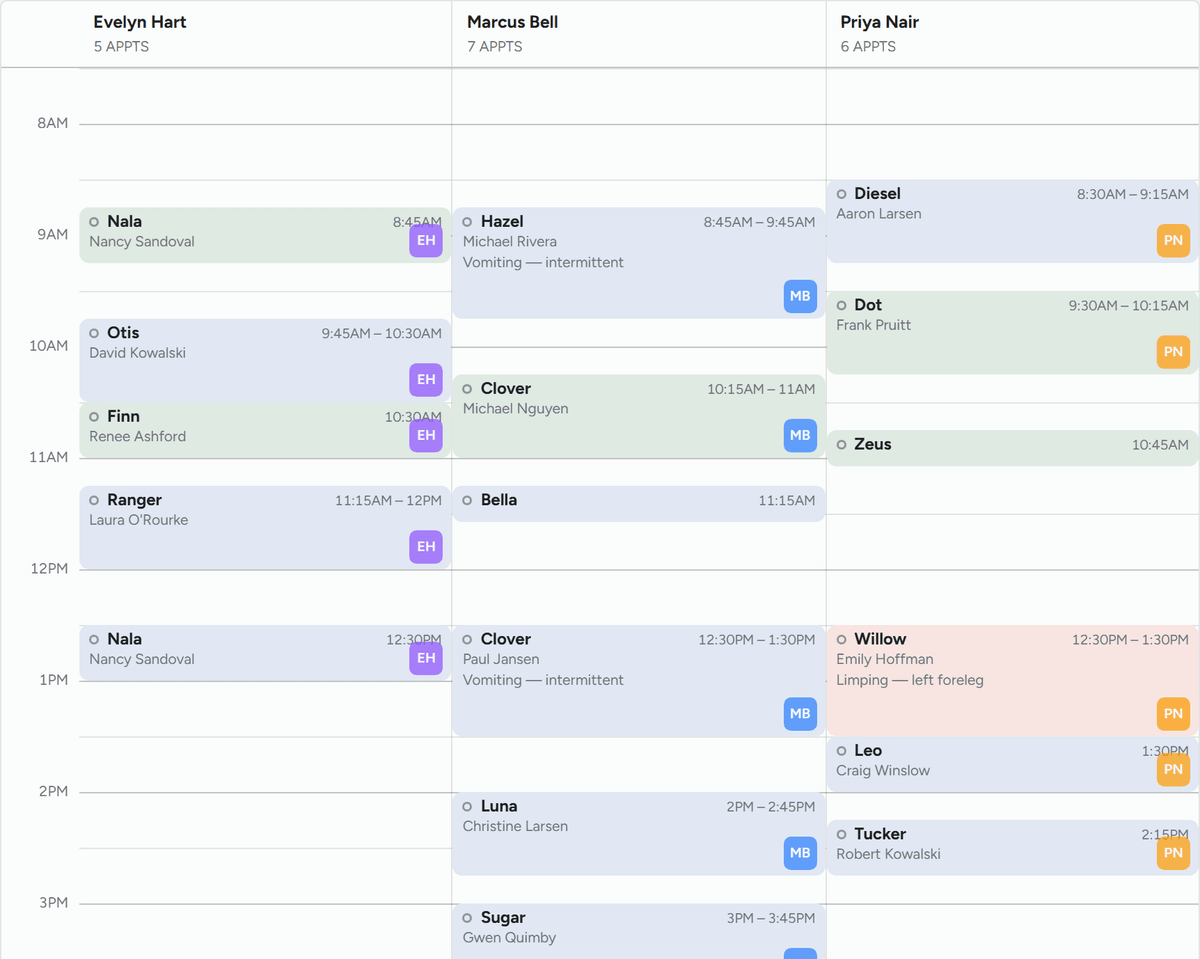
Find the right appointment time
Find appointment times using provider shifts, rooms and visit types. Switch calendar views and drag appointments to reschedule. Status colors show how the day is progressing.
- Guided booking wizard with real slot search
- Recurring availability from staff shift schedules
- Online booking requests arrive as a visible queue
Vetriq screenshot · demo practice data
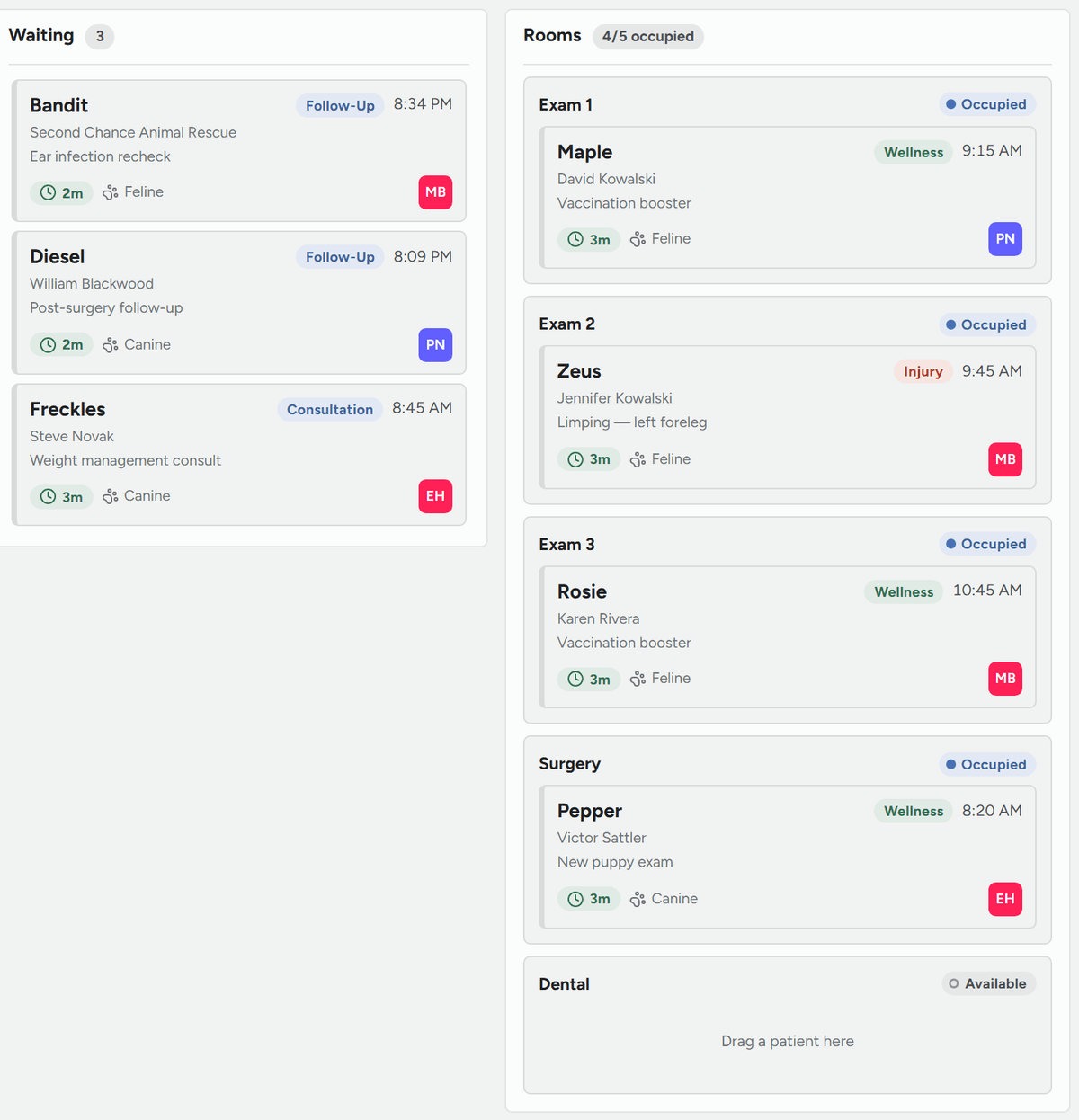
Patient flow board
See waiting patients, room assignments and visits ready for checkout on shared boards. Connected stations update automatically.
- Waiting, in-room, treatment, and checkout lanes
- Connected stations update automatically
- Room assignments and wait times at a glance
Vetriq screenshot · demo practice data
Exam room & ward
Keep patient problems, clinical notes and treatment plans connected. Review proposed care with the client and track scheduled treatments in the ward.
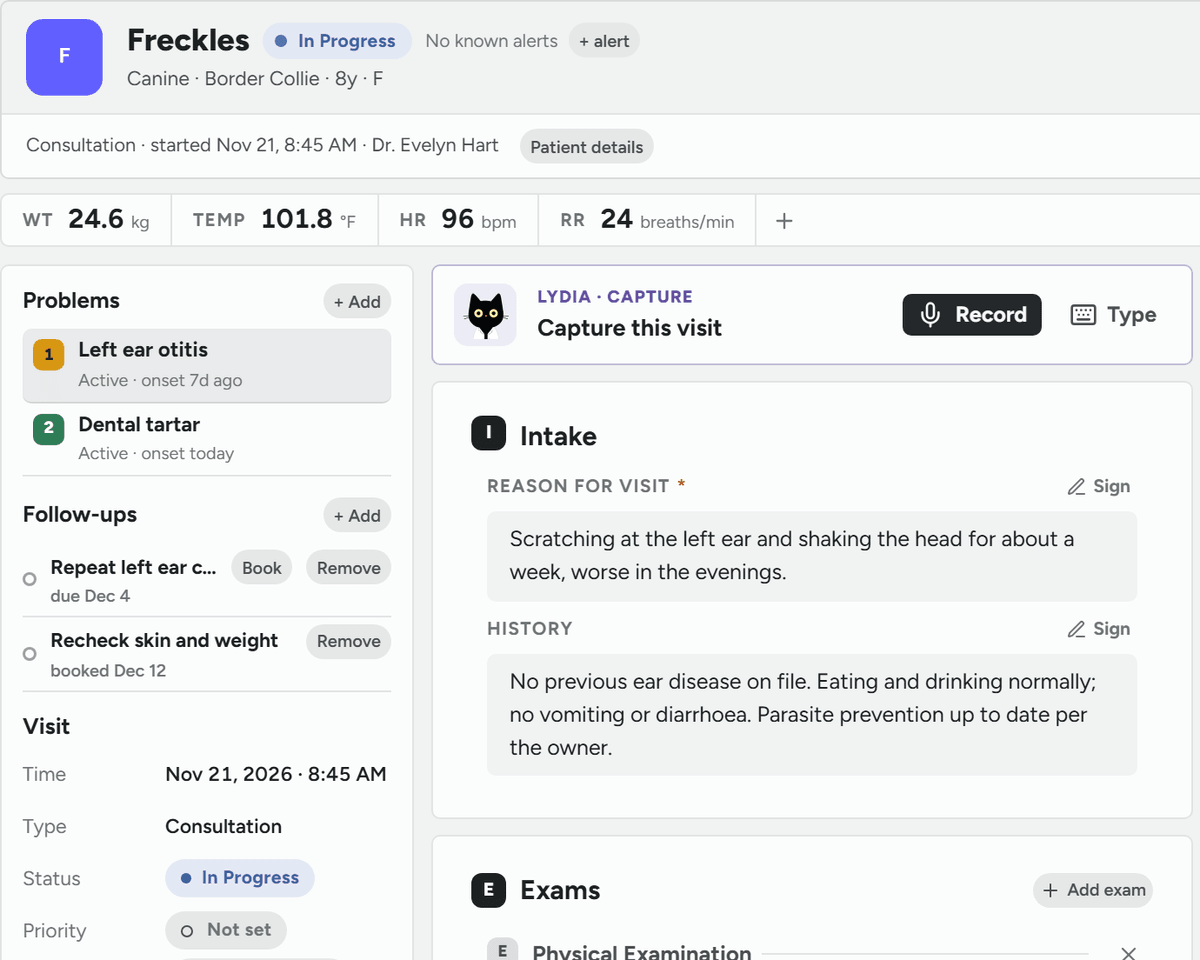
Clinical records organized around patient problems
Organize the visit around the patient’s problems, with assessment and plan for each problem. Keep the patient’s longitudinal history and provider-signed notes connected to the clinical work.
- Longitudinal problem list per patient
- Lab values on reference-range diagrams
- Notes signed by a named clinician, with history
Vetriq screenshot · demo practice data
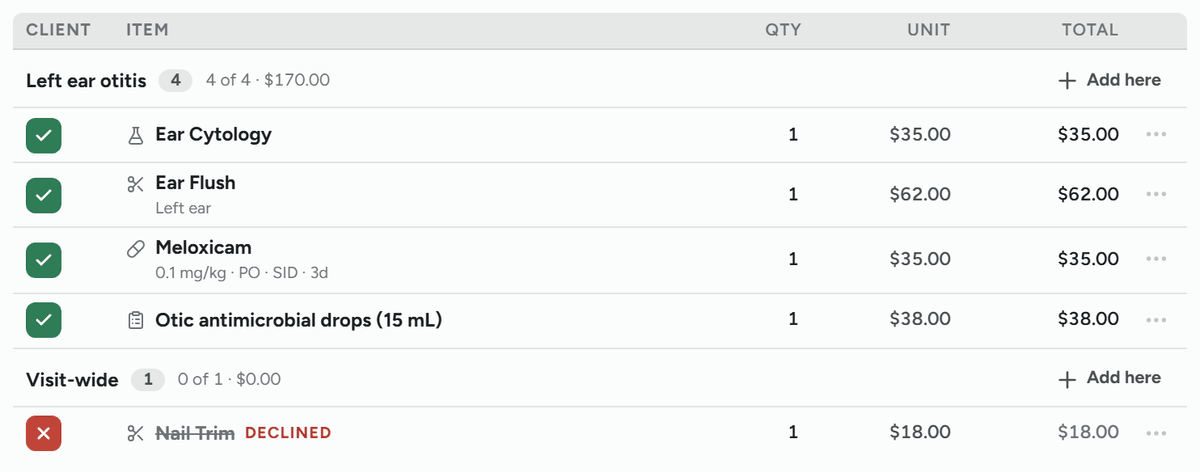
Record what the client approves
Record the owner’s decision line by line. Approved catalog items create orders, and those orders create charges. The final bill reflects delivered care.
- Review treatment-plan totals before recording client approval
- Approve in full, in part, or decline per item
- Track additions and further consent after approval
Vetriq screenshot · demo practice data
Whiteboard, flowsheets & controlled substances
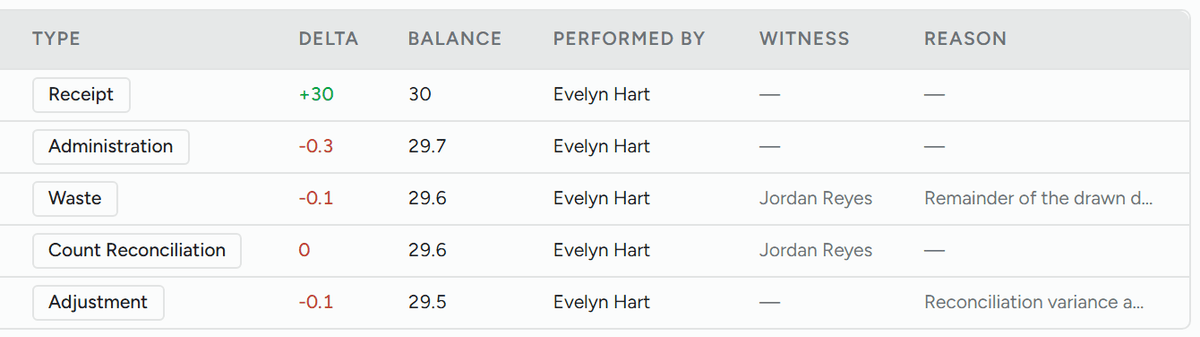
Track hospitalized patients and scheduled care on ward flowsheets. Controlled doses recorded with their lot feed the controlled-substance ledger, with running balances, witnessed entries and reconciliation.
- Care tasks with due, done, and overdue states
- Vitals and treatments on one timeline
- Controlled-substance log with witness signatures
Vetriq screenshot · demo practice data
Lydia AI
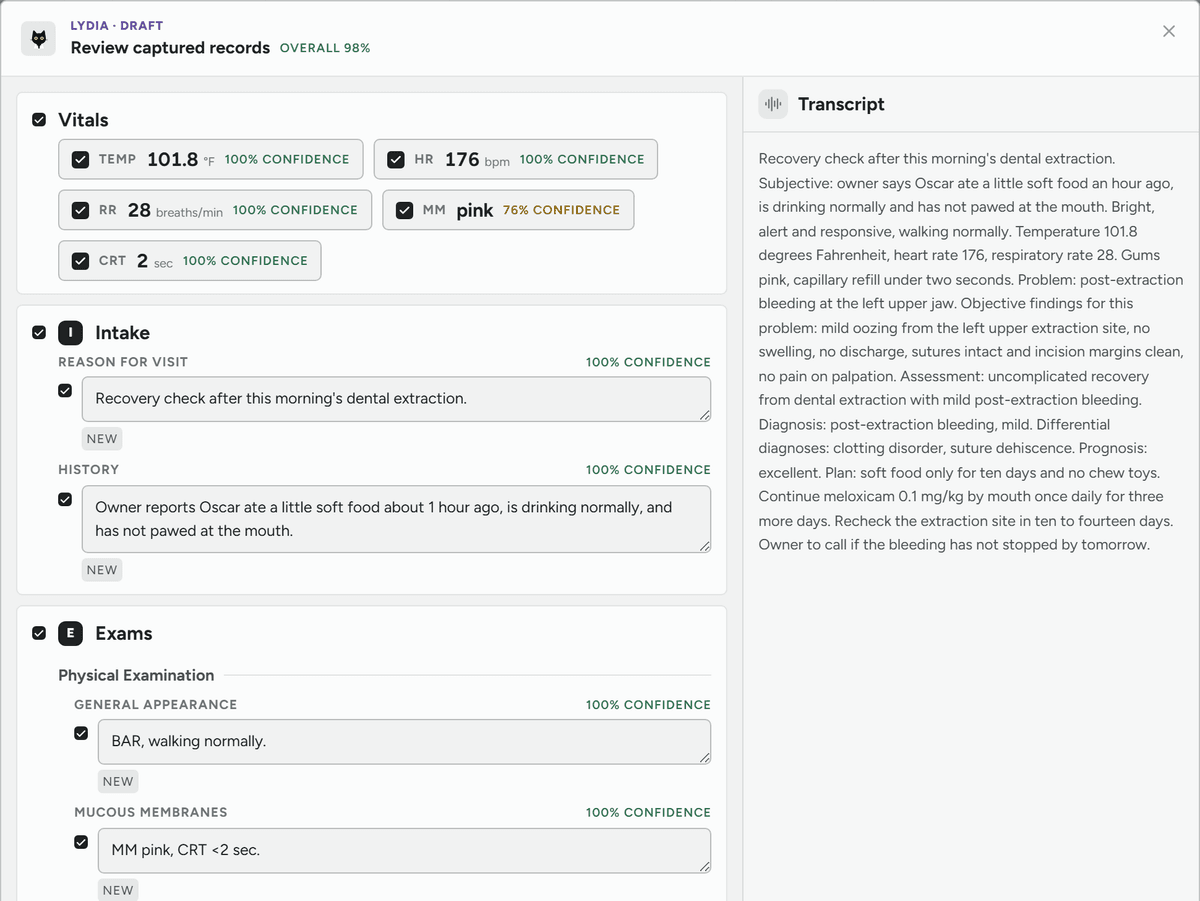
Lydia drafts clinical records from a spoken or typed account of the consult. Review and save the records you choose. In the assistant panel, approve each proposed action before Lydia changes a record.
Ambient visit capture
Capture the consult with the client’s consent. Lydia proposes structured findings and notes, including assessment and plan by problem. Edit proposed orders and save the records you choose. Lydia requires a connection.
- Structured findings with assessment and plan by problem
- Review proposed orders before saving them to the visit
- Review and save selected records; provider signing is separate
Vetriq screenshot · demo practice data
An assistant across the whole system
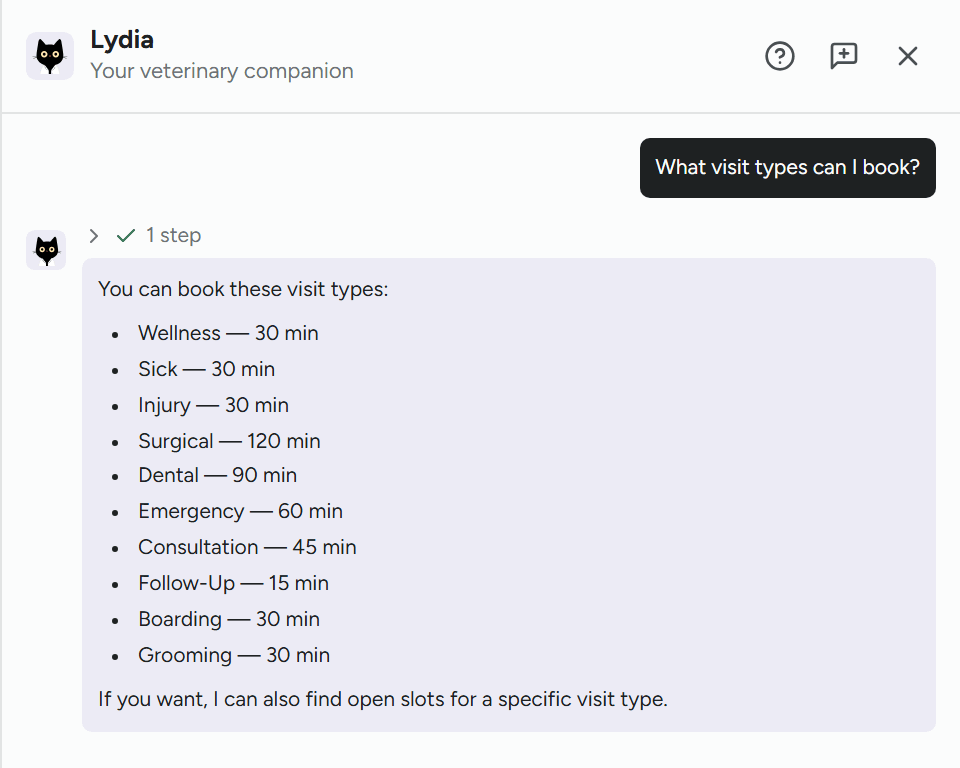
Ask Lydia for the last dental on a patient, today's unpaid invoices, or to draft a discharge summary. Every action that changes data is confirmed by you before it happens.
- Look up practice records within your role’s permissions
- Approve or decline each action before Lydia changes a record
- Included AI usage and additional-usage pricing are being finalized
Vetriq screenshot · demo practice data
Billing
Bring charges from treatment orders into invoices. Record payments, then compare expected cash with counted cash at the end of the day.
Bring clinical charges into the invoice
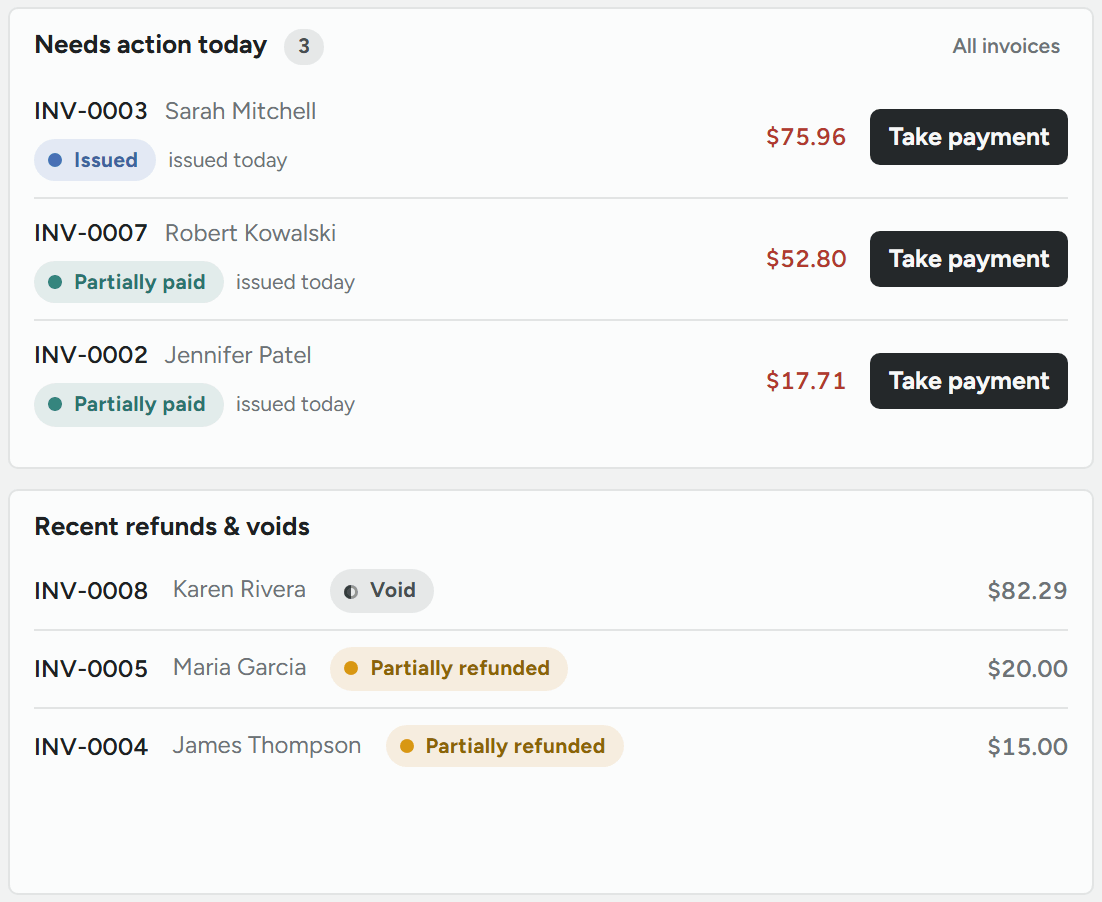
Orders create charges in the client’s unbilled account. Staff select charges, assemble an invoice and issue it for payment.
- Invoice assembly from orders and plans
- Partial payments, refunds, and voids with history
- Statements and printable invoices
Vetriq screenshot · demo practice data
Card payments connected to billing
Vetriq supports Stripe-connected payment workflows. Payment pricing and launch terms are still being finalized.
- In-person, online, and portal payments
- Card-on-file with client consent
- Deposits reconcile against your drawer close
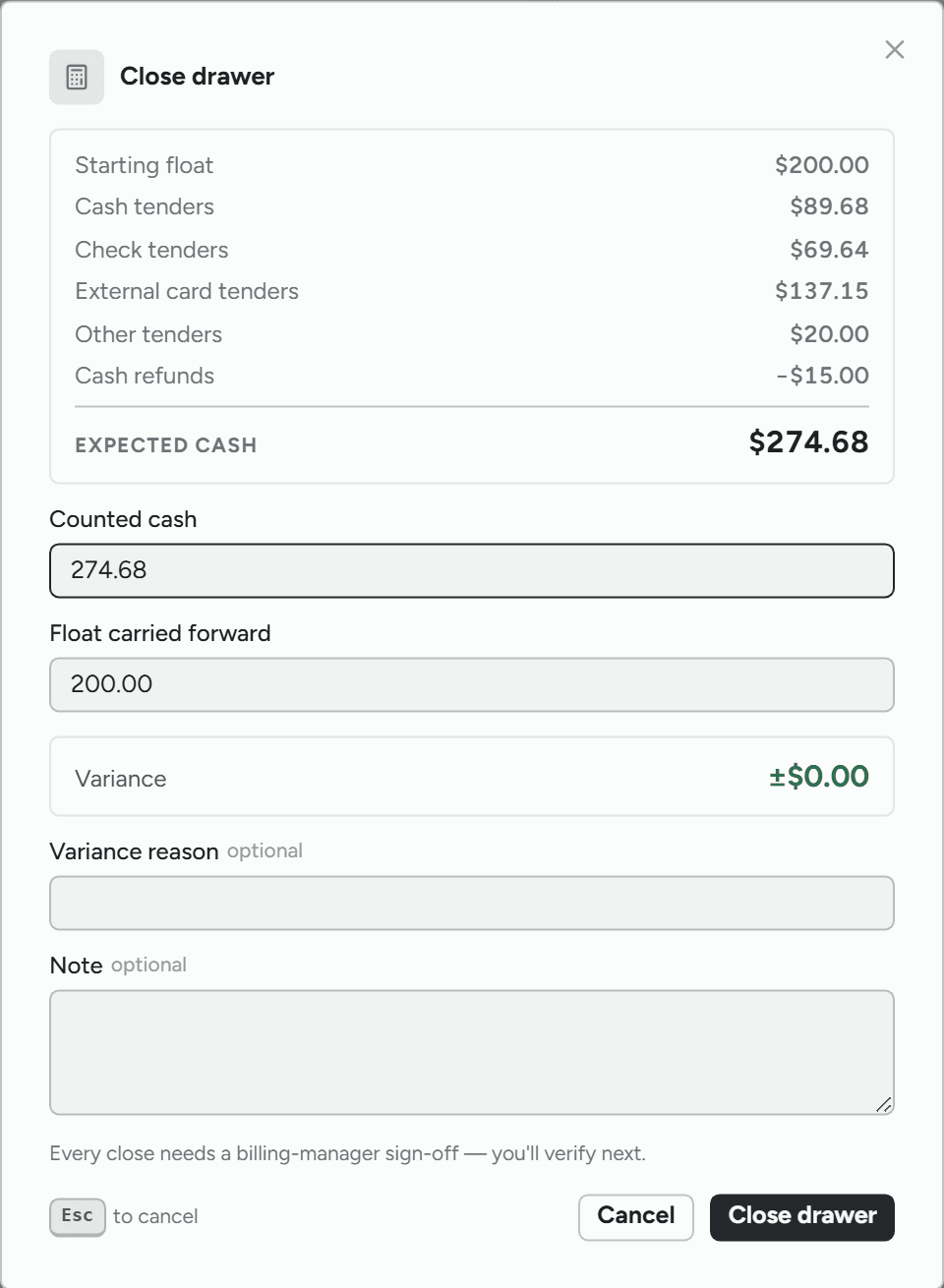
Vetriq screenshot · demo practice data
Client experience
Clients can view available patient information, book visits and access invoices under your practice’s branding. Online invoice payment requires payment setup.
Client portal
Clients see their pets' records, vaccine status, and upcoming visits; pay invoices online; and manage their details — under your practice's name and colors.
- Records, vaccines, invoices, documents
- Online invoice payment after payment setup
- Practice-tinted branding
A simulated client portal for Cedar Grove Animal Hospital showing Waffles, a Corgi, with vaccines up to date and a next visit, and an invoice that is due with an option to pay online.
Illustrative product depiction · synthetic demo data
Online booking that respects your schedule
Clients and brand-new visitors book against your real availability — provider shifts, bookable visit types, and buffer rules included. Requests land on the schedule as a queue you confirm, or auto-confirm if you prefer.
- Real slot search, not a contact form
- New-client intake creates the record for you
- Confirm manually or automatically, per practice
A simulated online booking step two of three listing three open wellness exam times on Tuesday, September 8, with Dr. Osei and Dr. Lindqvist.
Illustrative product depiction · synthetic demo data
Platform
Use the web app while connected, or install the desktop app for local clinical records and queued changes. Both connect to the same practice account.
Help with the move is included
Migration services and initial founder-led video-call onboarding will be included in the subscription. Migration coverage and training arrangements need to be confirmed for each practice. The knowledge base supports continued learning; advanced-feature video tutorials are planned.
Launch integrations in progress
IDEXX and Antech lab connections are planned, alongside microchip registry connections for PetLink, HomeAgain, Petwatch, Peeva and AnimalId. Provider authorization and end-to-end validation remain outstanding. QuickBooks Online is under consideration; external imaging integration is deferred from launch.
Evaluate Vetriq for your practice.
Join the waitlist to hear about the planned demo and pilot phase. Product access is arranged separately.